
Every piece is either earning or it’s sitting.
Stager Tech follows your furniture from the shelf to the living room and back — and runs the proposal, the deposit, the crew and the pickup that go with it. One record per job, not a spreadsheet and a group text.
New accounts need an invite code right now — you will be asked for it at sign-up. No code yet? The waitlist is open.
18 Ferris Hollow Rd
StagedK. Ruiz · 4 bed · 3 bath · 2,410 sqft
Stages
Oct 24, 2026
Inventory
48 items · 12 currently staged · 25% utilization
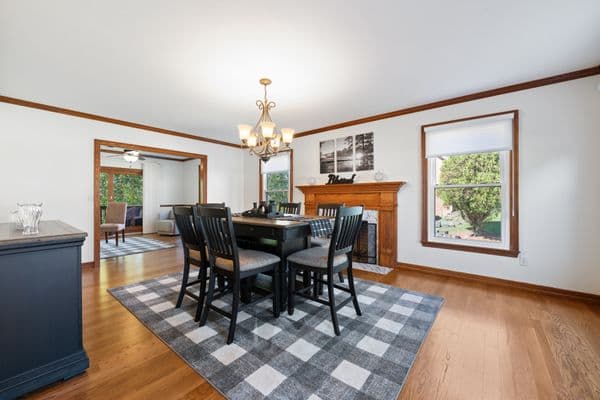
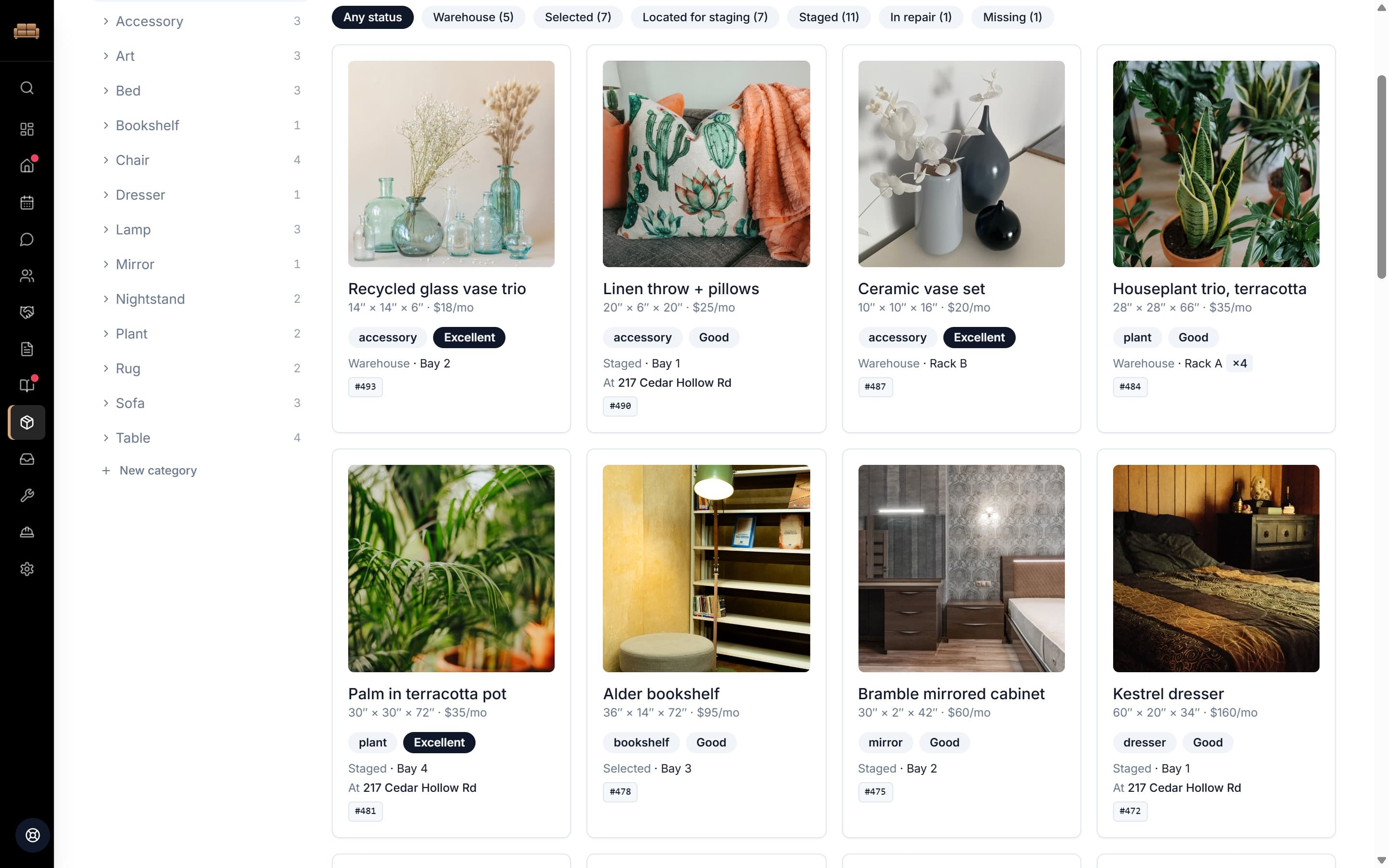
The inventory screen for a 48-item warehouse: a search box, the status filter chips, and a card per item showing its photo, dimensions, monthly rental price, category, condition, where it is right now, its warehouse bay and its tag number.





The actual software
Not a mock-up. The real screens.
Captured from a working account with a full book of jobs on it. The properties, agents and figures are invented — the software is not.
The morning read
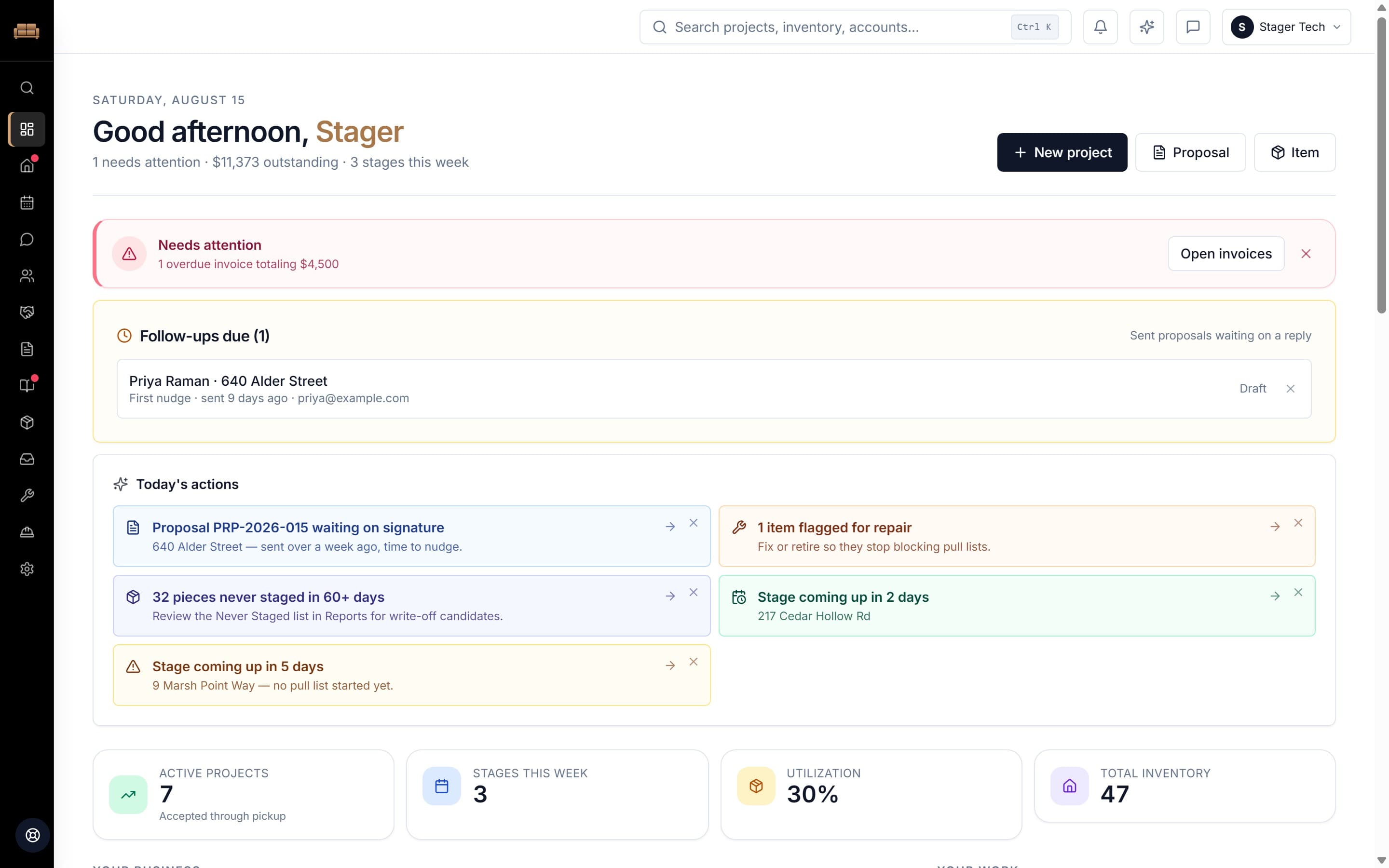
Open it, and it already knows what needs you.
Overdue money, proposals gone quiet, stages loading this week — read off your own records rather than a to-do list you have to maintain. Each alert dismisses once you have dealt with it, and comes back on its own if the situation changes.
Every job
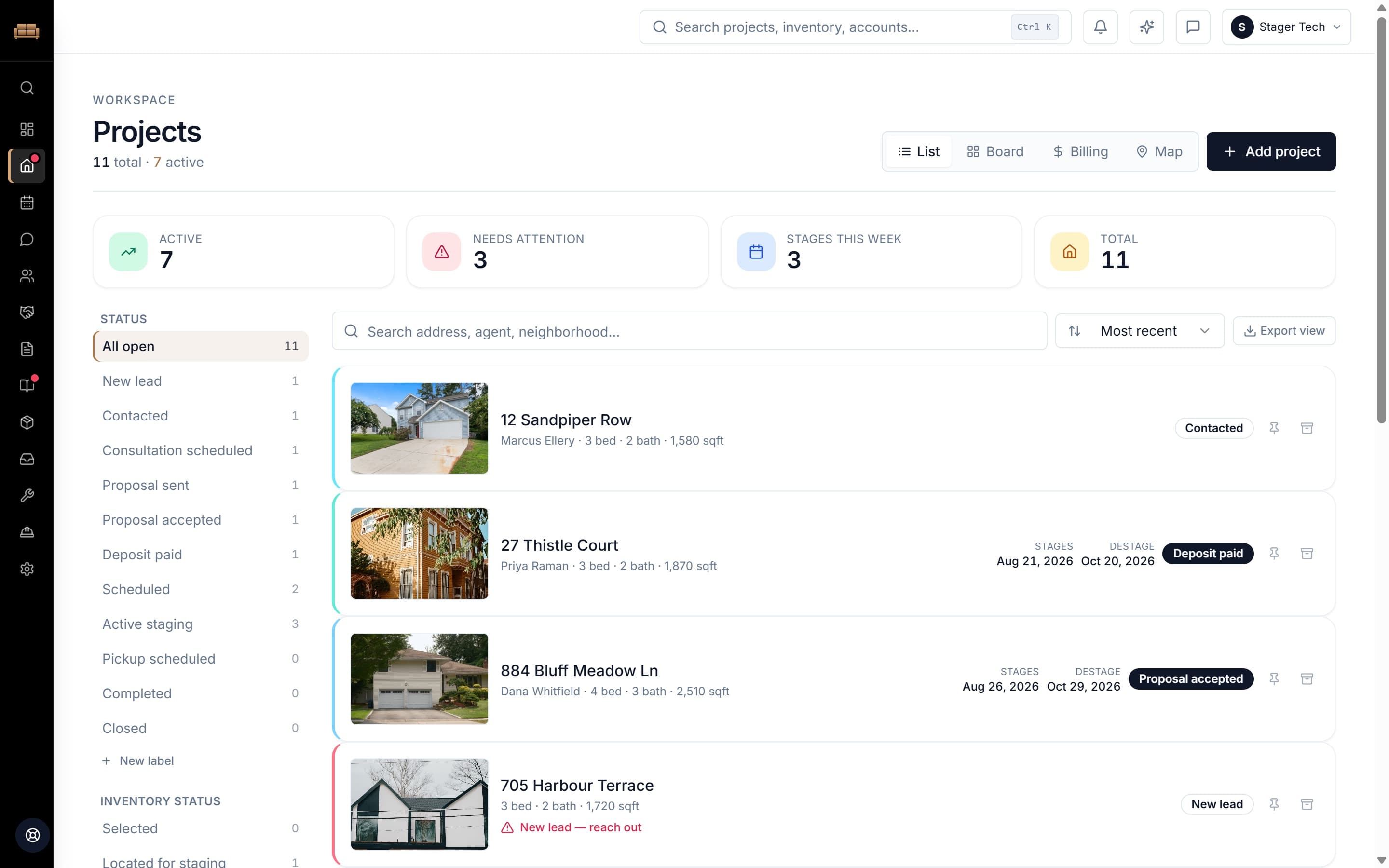
The ones slipping are marked before you go looking.
Front-of-house photo, agent, bed and bath, stage and destage dates, and status on every row. Eleven jobs here, seven active, three flagged.
The pipeline
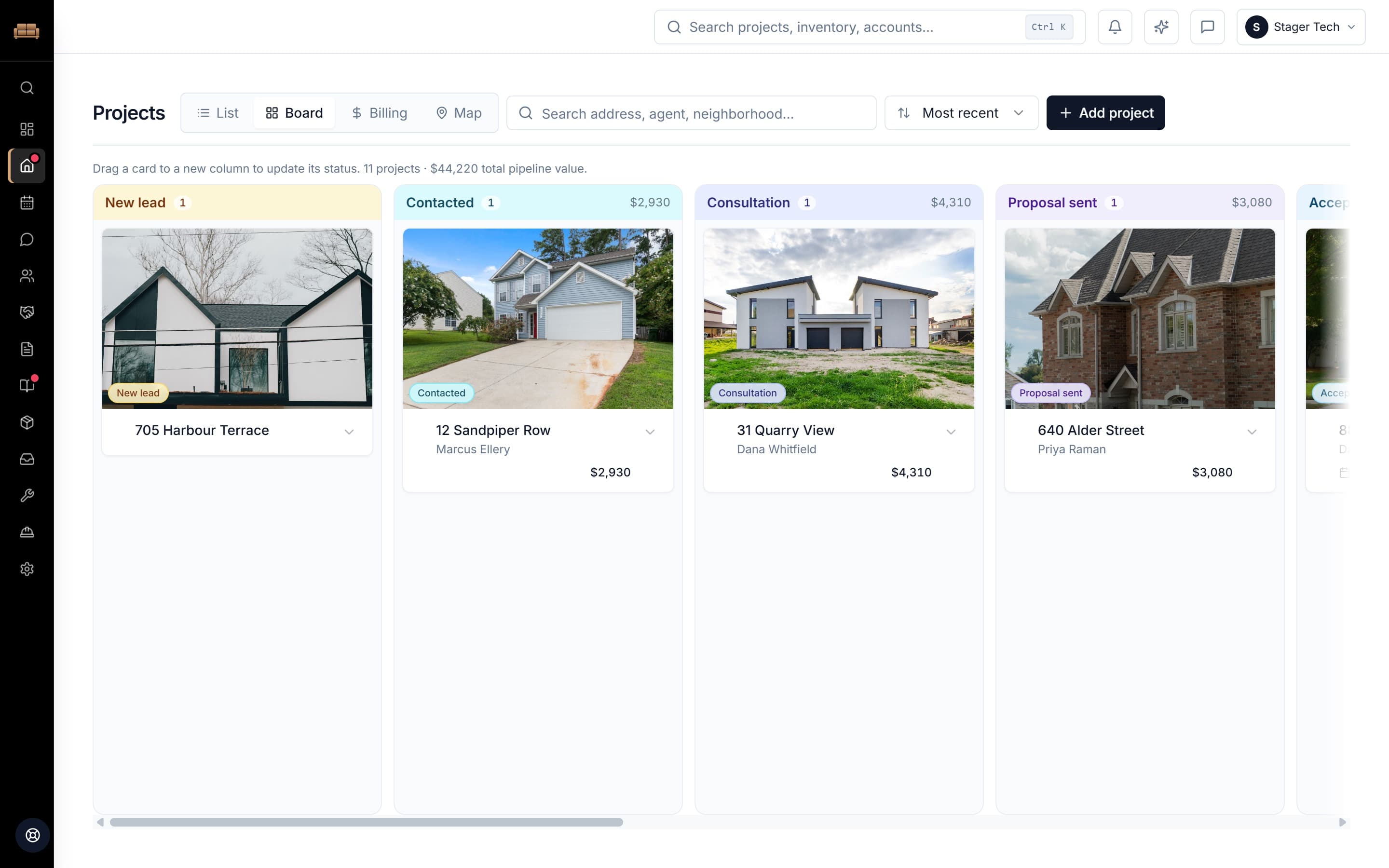
Every column carries what it is worth.
Drag a card to move the job. New lead through Active staging, with a running subtotal on each column — $44,220 across eleven properties in this workspace.
The paperwork
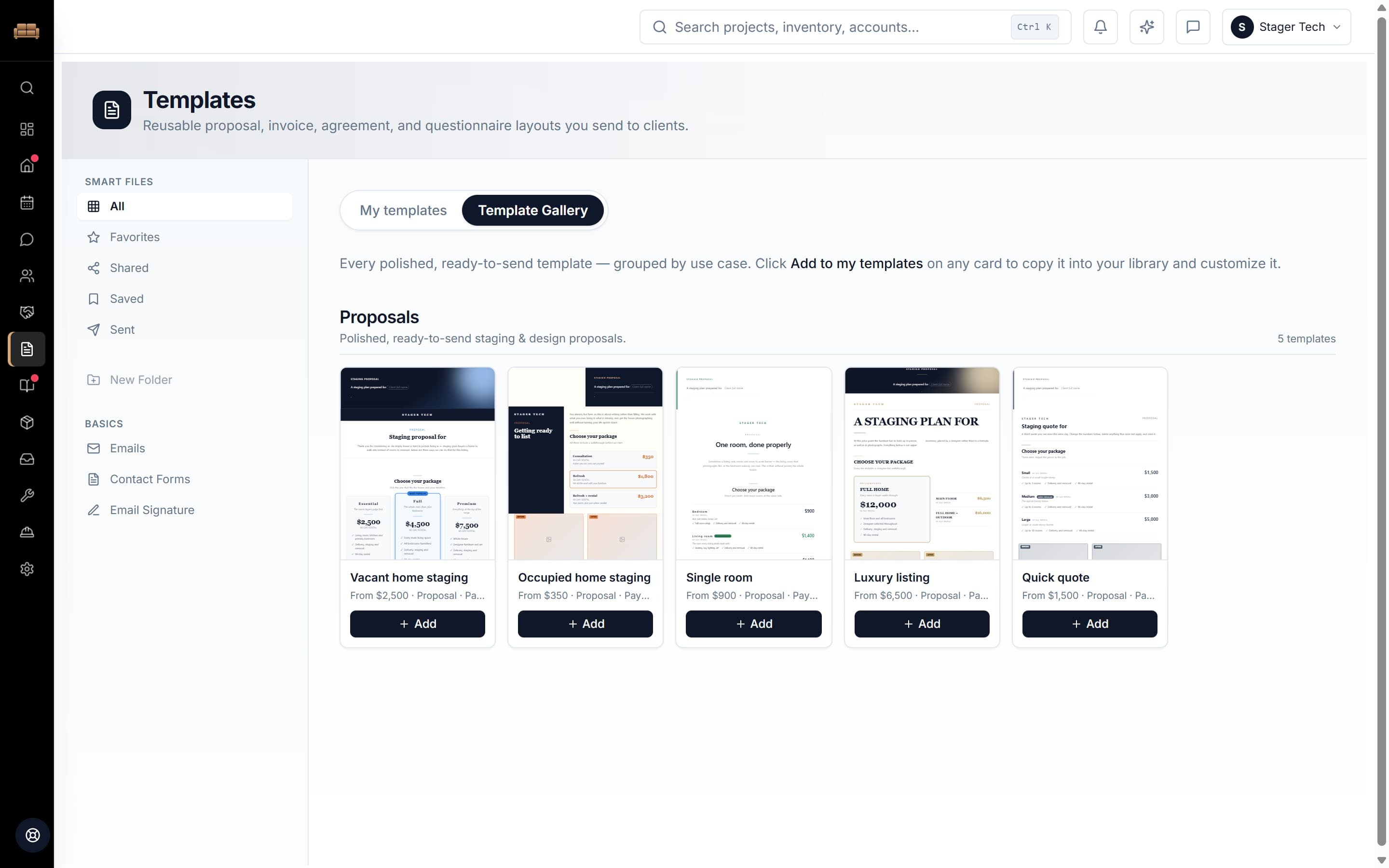
Proposals, invoices and contracts that are already written.
Five finished documents you can send today — each a different design, not one layout in five colours. Add one to your library and it is yours to change.
Make it yours
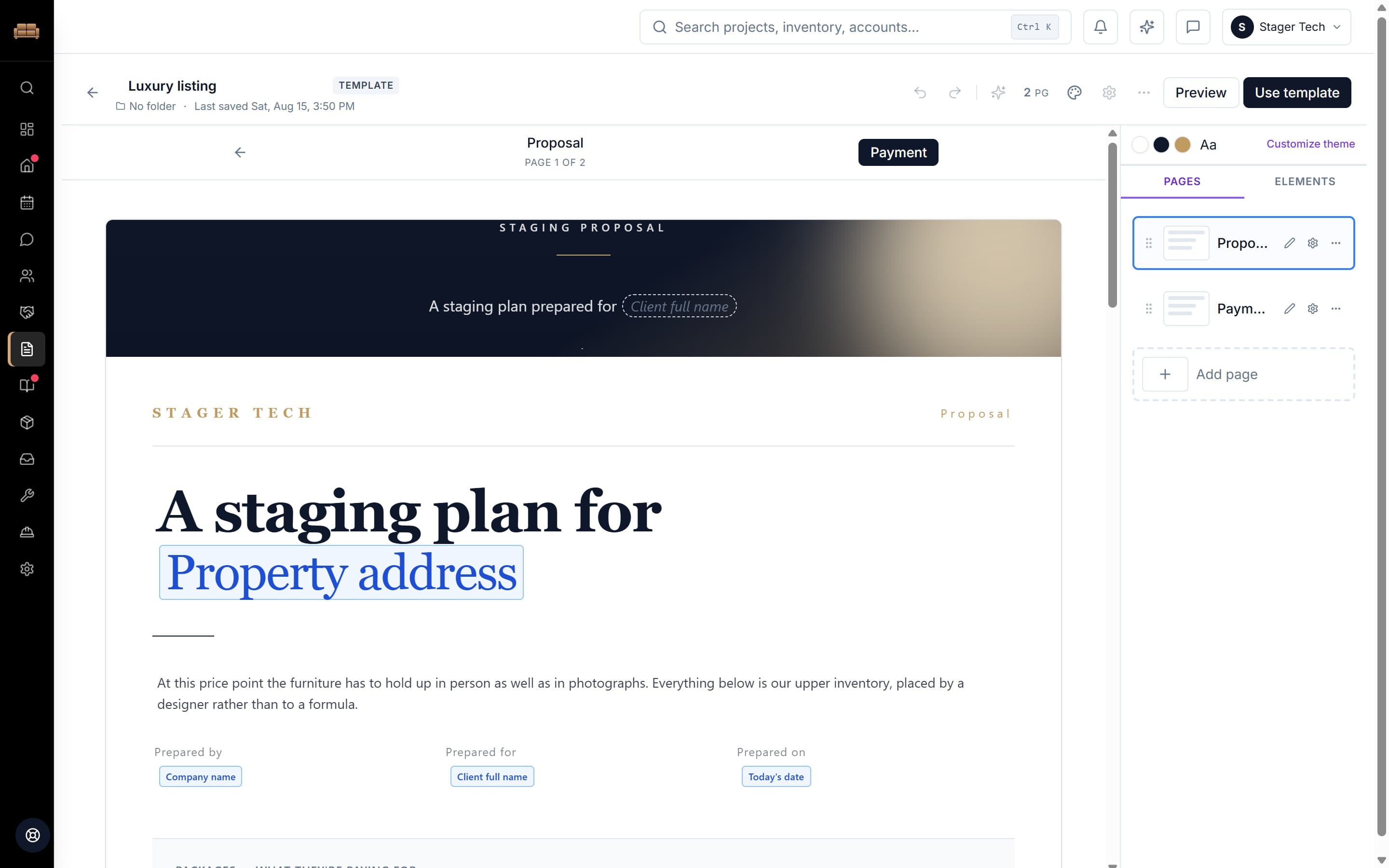
A document editor, not a form with your logo on it.
Chips are the fields that fill themselves from the job — address, client, date. Everything else is yours: the cover, packages, prices, wording, colours, pages.
What the client opens
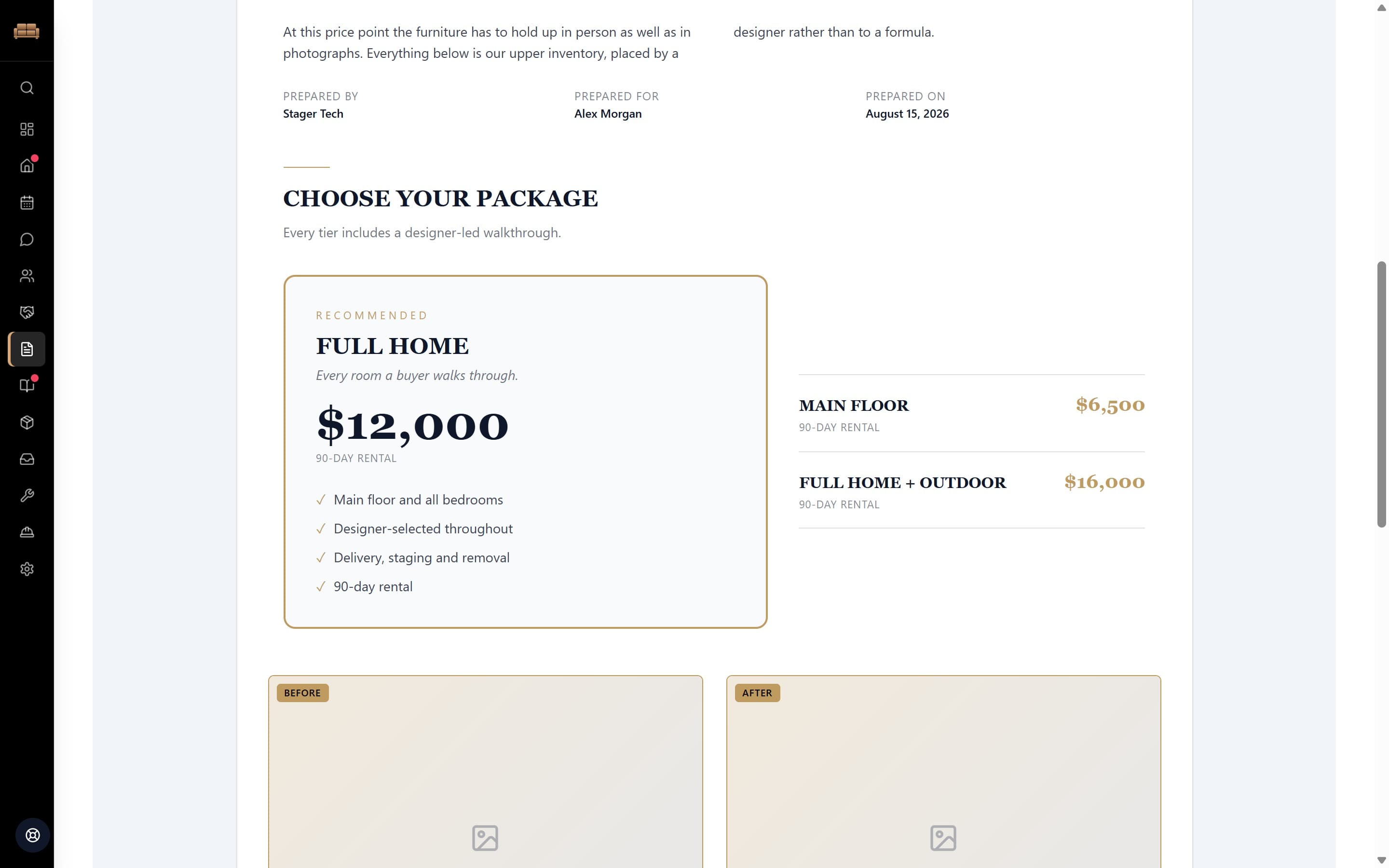
They pick a package, sign, and pay.
The same document, rendered for the buyer on any device. Choosing a package carries straight through to what they owe — signing does not leave you writing an invoice afterwards.
One job, end to end
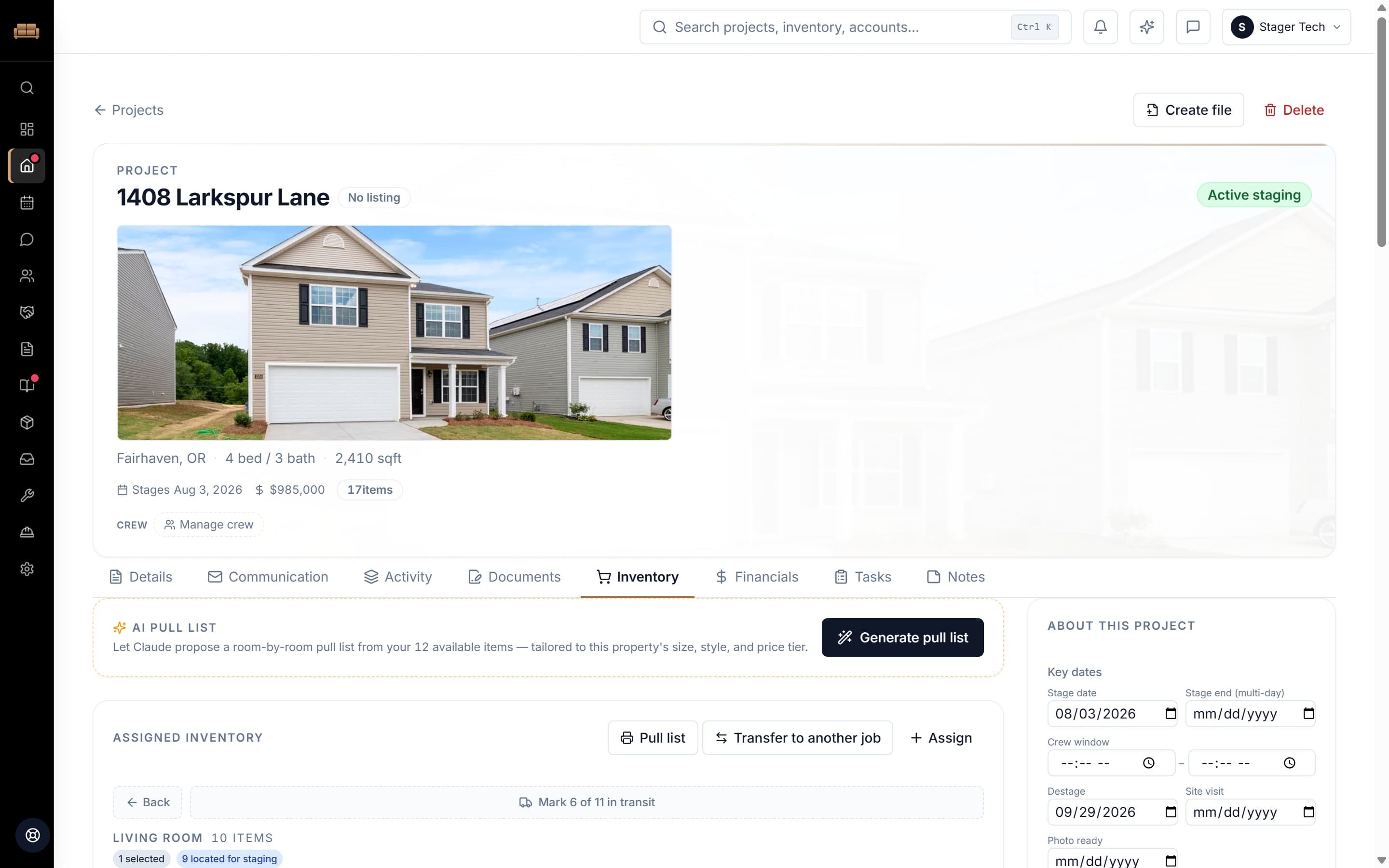
Property, people, money and every piece — on one page.
Tabs for communication, documents, financials, tasks and notes sit on the job itself. Assigned inventory is grouped by the room it goes in, so you can see at a glance which room still needs furniture.
The schedule
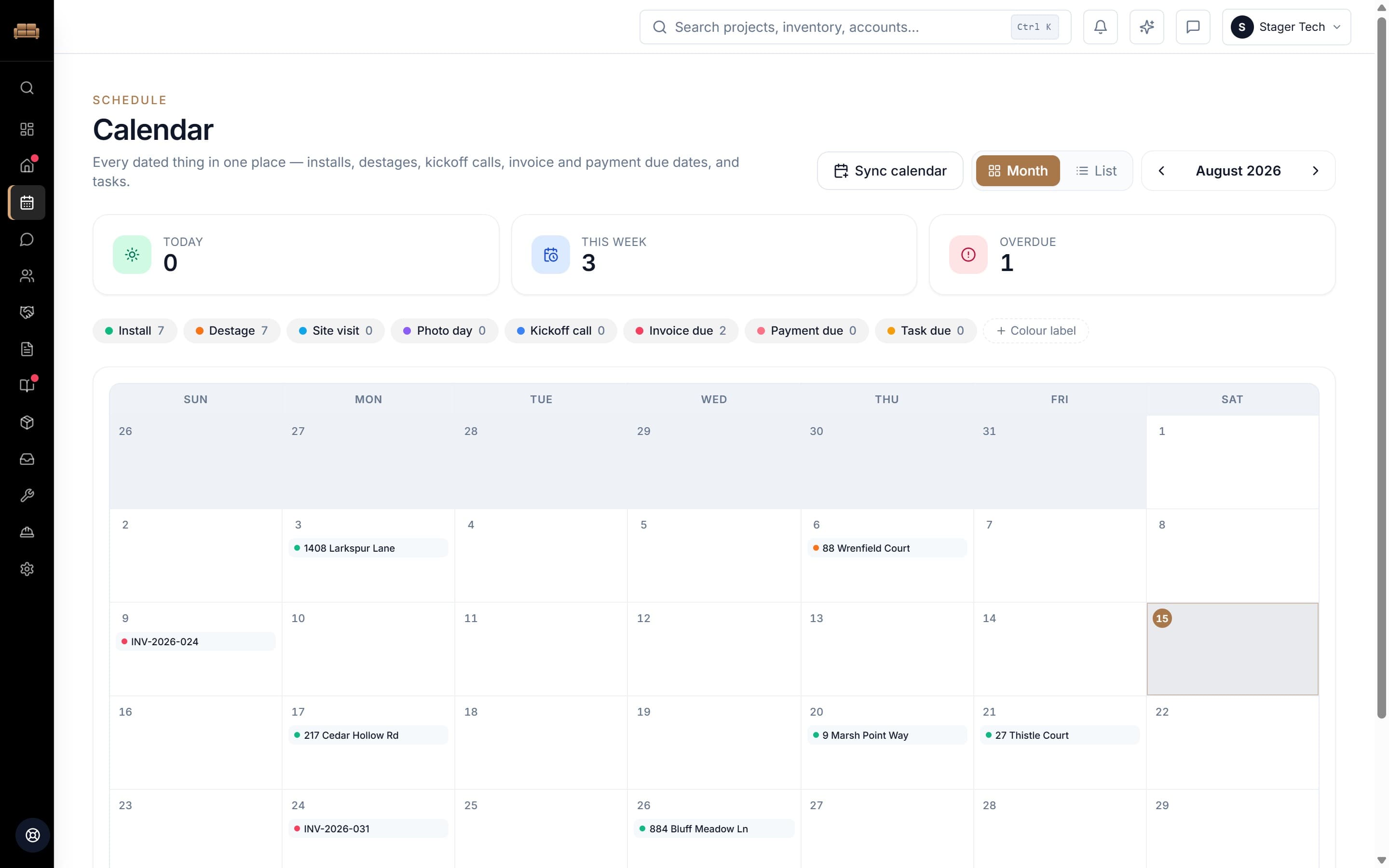
Every dated thing in one grid.
Installs, destages, site visits, kickoff calls, invoice and payment due dates, tasks. Not a second calendar you have to keep in sync with the first.
The warehouse
Nine places a piece of furniture can be.
Not "in stock" and "out". Warehouse, selected, located for staging, staged, in repair, missing — each piece with its dimensions, monthly price, bay and tag number.
Loading day
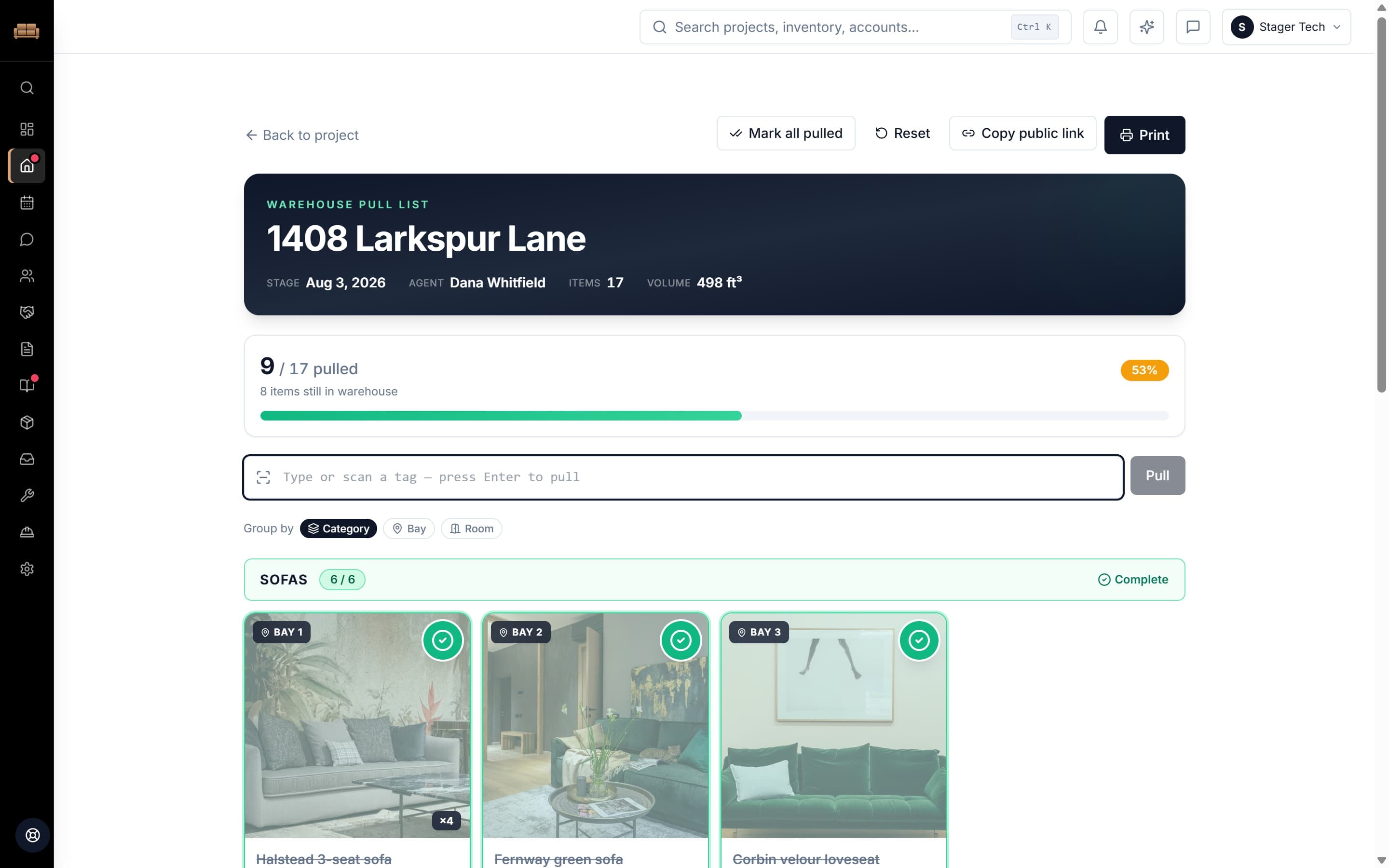
The list the crew actually loads from.
Grouped by room, bay or category. Scan a tag to pull it. Print it, or send a link the crew opens on a phone with no login and no seat.
Getting paid
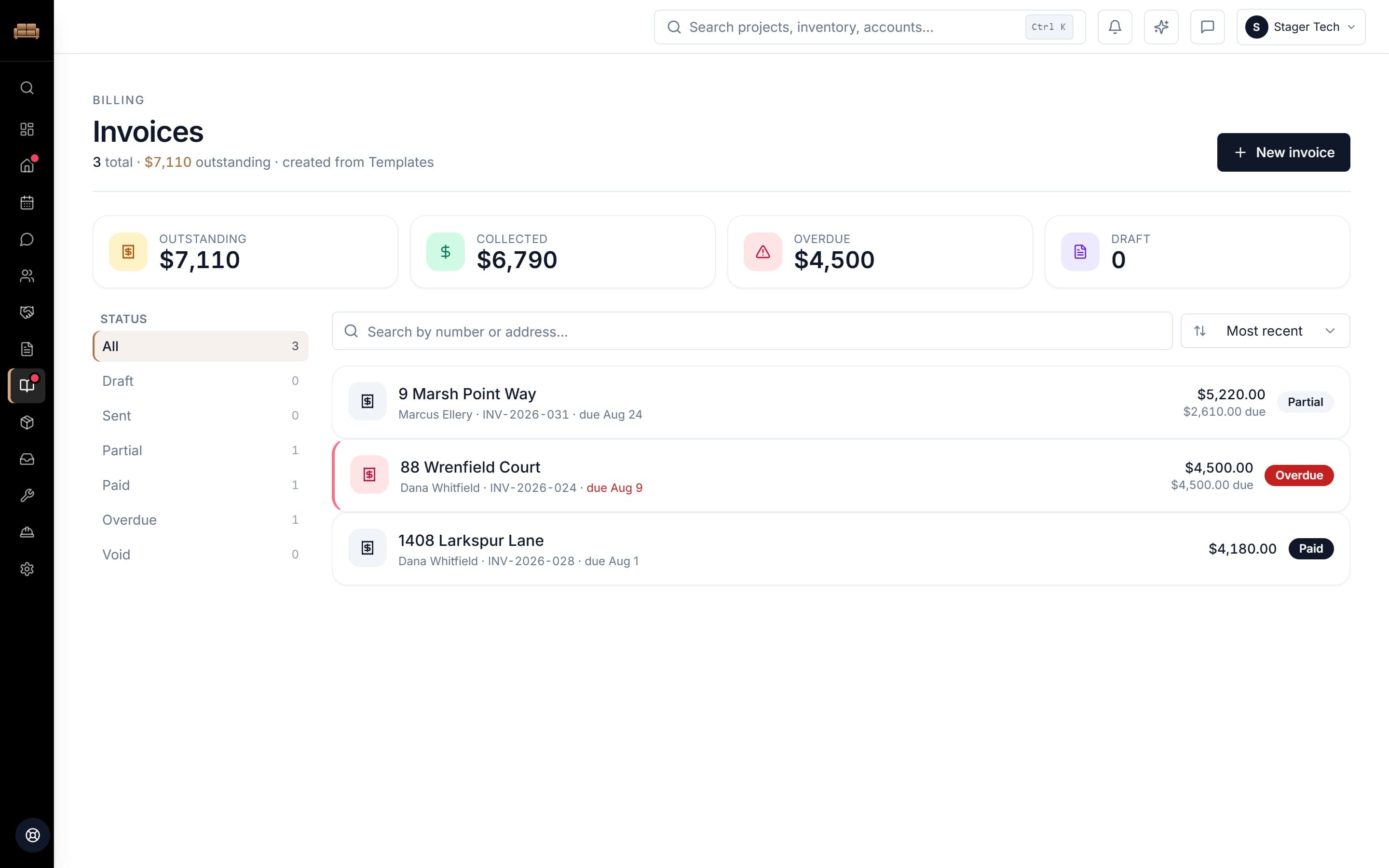
Outstanding, collected, overdue.
Deposits, partials and balances tracked against the job they belong to — and the one that is late is the one that looks late.
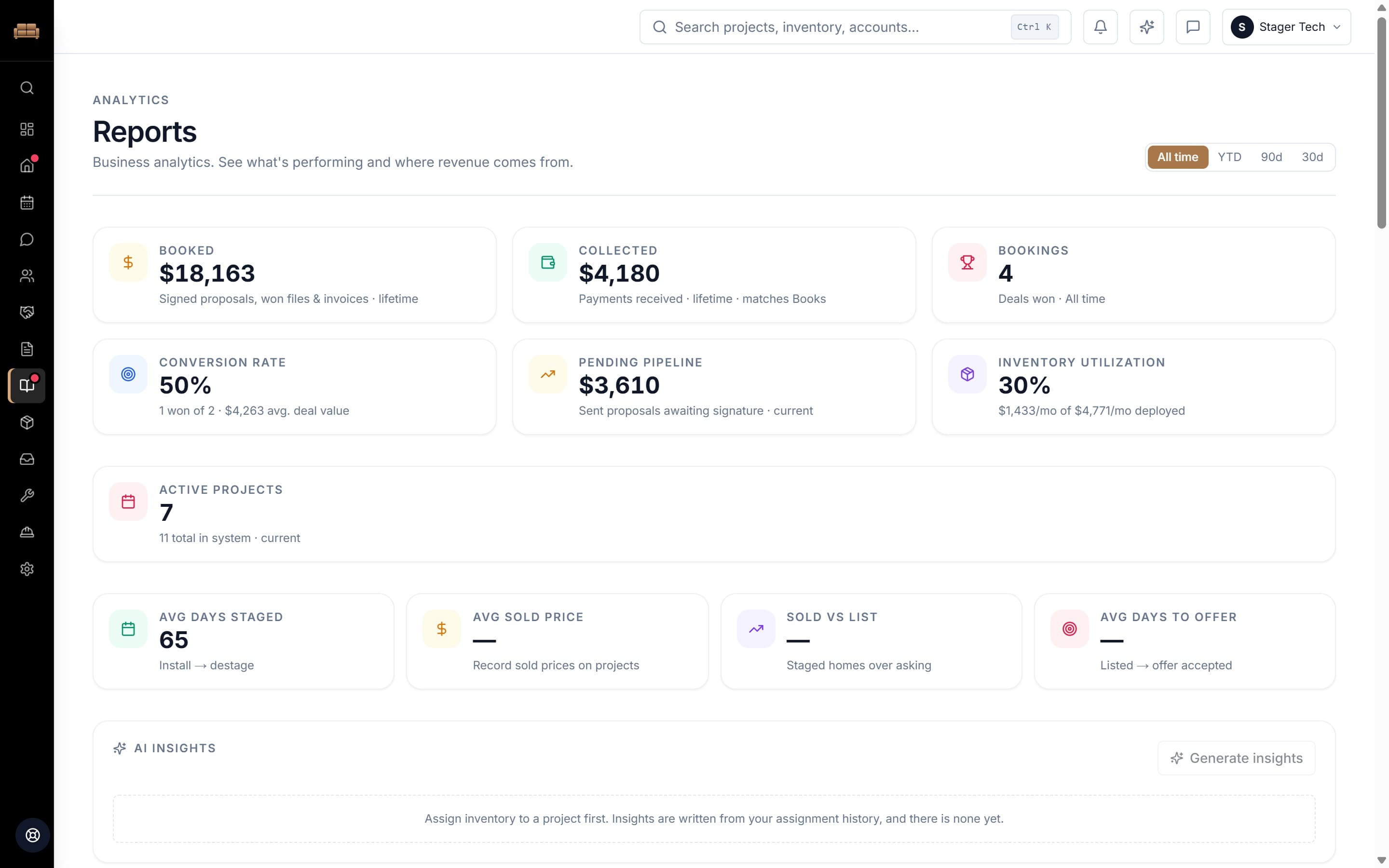
The quarter
What earned, and what sat.
Off the same event log that moved every piece — not a forecast. Utilization is real dollars deployed against real dollars owned.
Nine places a piece of furniture can be.
Most tools give you In Stock and Out. That is not how a truck works. A sofa that is spoken for is not the same as a sofa on the truck, and neither one is a sofa sitting in the shop with a torn arm. Nine states, because that is how many there are.
These nine are the status filter across the top of your inventory — Warehouse (19), Staged (16) — one click to see everything sitting in any one of them.
Warehouse
on the shelf, not earning
Selected
assigned to a job, not pulled yet
Located for staging
pulled, waiting on the truck
In transit
loaded and on the road
Staged
in the house, earning
Located for destaging
pulled for the pickup
In repairException
cannot go on a job until it is fixed
MissingException
lost, still on your books
Retired
out of service for good
Fill width is how far along the trip a piece is. The rule itself carries no green, amber or red, because a sofa on the shelf is not a warning — it is a sofa that is not earning today. The two hatched states, In repair and Missing, are the only marks on the rule that are meant to look wrong. They are the two that cost you money.
The rest of it.
One trip through the warehouse does not name everything. Inventory & Projects covers the operations side — what you own, where it is, and the jobs it loads. Everything marked Studio is on Complete Studio: the paperwork a client sees, the money, and your crew.
Projects, start to finish
Every listing in one place — consult notes, room plans, photos, install and de-stage dates, and where each job stands today.
Inventory that stays honest
Track pieces with photos, know what is in the warehouse versus out on a job, and pull an accurate list before the truck loads.
Proposals, invoices and contractsStudio
Build them from your own templates, send a branded client document, and collect a signature without a separate e-sign subscription.
Get paid for the jobStudio
Take deposits and payments on your proposals and invoices through your own Stripe account, with the balance tracked against the project.
Crew who see only their partStudio
Share one join link, set each person a role, and hand them the day sheet for their job — with the stage log they build as they log it.
Bookings and lead intakeStudio
A booking page for consults, lead forms for your site, and automated follow-ups so an inquiry does not go cold.
What you can stop paying for.
You did not choose this. It accumulated. The spreadsheet started as one tab and now it is six. The group text works until somebody joins and cannot scroll back.
- The separate e-signature subscription
- A signature taken inside the document you already sent
- The scheduling link from another vendor
- A booking page carrying your consult times and your prices
- The spreadsheet only you know how to update
- One inventory record that changes because a piece moved
- The group text that is currently your dispatch
- A day sheet per job, with the stage log attached to it
- Last year’s proposal, opened to copy from
- Your own templates, with the line items already priced
What it doesn’t do.
It is not your bookkeeping. It tracks what a job was worth, what came in and what is still owed, and it stops there — no ledger, no reconciliation, no tax filing. Export your projects, inventory, contacts and accounts and hand them to the person who does that for a living.
Terms, plainly.
- No trial, and no surprise on the invoice.
- You pick a plan and pay for it from day one — there is no free period that quietly turns into a charge. What you see on the pricing page is what leaves your card, every month, until you cancel.
- Your inventory can grow without your bill growing.
- One price for the business, however many pieces you own. We do not have inventory tiers, per-item fees or an "active items" ceiling that moves you up a plan the month you buy another truckload.
- Your clients pay you, not us.
- Payments go into your own Stripe account. Stripe charges its usual processing fee and Stager Tech adds a 1% platform fee on payments collected through the app. Anything you take outside of it is none of our business.
- Stop paying and it goes read-only.
- Projects, inventory, documents and photos stay exactly where they are, and you can still open and export them. Nothing is deleted because you stopped subscribing.
- Cancel from inside the app, any time.
- The billing portal is in Settings. Your plan runs to the end of the period you have already paid for.
- Yes, you can bring your spreadsheet in.
- Settings has a bulk import that takes a CSV of your inventory and matches your columns for you. Ask your old staging software for an export of your account and the same box brings projects, client accounts and contacts across too. Drop several files at once and they get merged into one item per product.
Try it on your next listing.
Not a demo job. The one you are installing next week. Set it up for real and see whether it holds up against how you already work.
Create your accountOne price whatever you own · no per-item tiers · cancel any time